

Building a website takes a lot of tools. Managing one takes even more. Hosting, plugins, page builders, image editors, backups, analytics: every job has its own tool, and every tool has its own quirks.
Having the right tool for each job matters more than most people think. A little friction on every small task (an extra click here, a confusing menu there) is what makes website maintenance feel tedious. Remove that friction, and keeping your site fresh stops feeling like a chore.
Start with what’s already out there
Most of the time, the right tool already exists. Before you build anything, reach for:
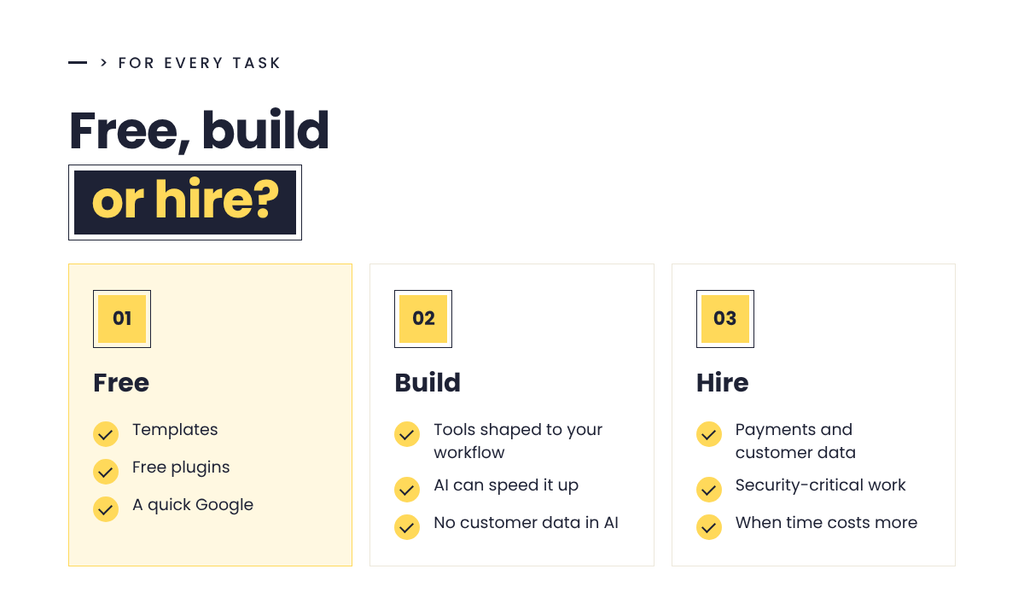
- Templates. A good page or post template means you’re filling in blanks, not starting from scratch every time.
- Free plugins. WordPress has a free plugin for almost every small job. Pick well-reviewed, actively maintained ones and keep them updated.
- Google. Someone has almost certainly hit the same problem you have. A five-minute search can save you an afternoon.
None of these are glamorous, but together they take the edge off dozens of small tasks.
Sometimes it’s worth building your own
Every so often, it pays to think outside the box and build a tool that fits the way you actually work.
Here’s an example from my own business. The standard WordPress dashboard can do a lot, but for a busy business owner it’s crowded and confusing. So I built a custom dashboard for my clients. It gives them quick access to the things they actually do:
- Writing and editing blog posts
- Updating text and images on their pages
- Adding a new team member to their Team page
- Replacing an image or file everywhere it’s used across the site
WordPress already supports every one of these. Nothing here is new. But a dashboard built around those few jobs makes them much nicer to actually use, and that’s the difference between a site that stays fresh and one that gets ignored.
My favorite tools
These are the tools I reach for on almost every site I build. Most are free, and together they cover building, hosting, forms, layout, day-to-day management and performance.
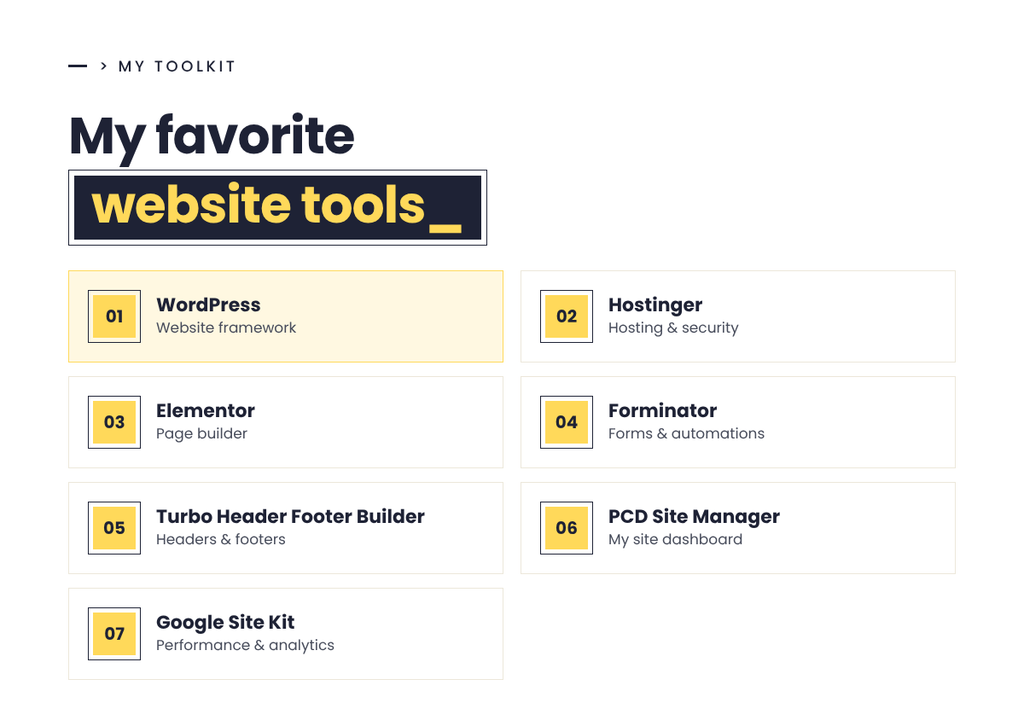
- WordPress. Some see it as old and clunky, but at its core WordPress is a powerful beast. Tamed with the right plugins (like the ones below), it becomes a fast, high-ranking website framework.
- Hostinger. My favorite way to host sites. Setup is easy, the documentation is thorough and support is good. Their servers are reliable with low downtime, and their security protected my sites against critical attacks like the recent php2shell PHP vulnerabilities.
- Elementor. Elementor has evolved a lot over the years, and it’s no longer the only page builder in town. Even WordPress’s built-in editor, Gutenberg, is pretty good now. Still, I find Elementor easy to approach, with real depth in customization and features. I use the free version on lots of my sites. If you pay for Pro, you can even skip some of the plugins below.
- Forminator. My go-to form builder. It’s easy, fast and good looking, and it lets you send submissions to any custom automation for free. That’s very useful for connecting forms to Google Sheets, or to your own automations in Zapier or n8n.
- Turbo Header Footer Builder. Free Elementor can’t build headers and footers on its own. This plugin fills that gap, so I can design my site’s header and footer in Elementor.
- PCD Site Manager. My own custom site management dashboard. It cleanly surfaces everything I need to manage a site: form submissions, user management, media replacement, easy content editing, a nicer blog writing experience, and even custom code snippets for styling and JavaScript.
- Google Site Kit. Paramount for understanding your site’s performance and getting analytics insights, right inside WordPress.
AI can help you build those tools, carefully
AI has made building small custom tools far more approachable. It helped me build my client dashboard, and it’s great for scripts, small utilities and automations that remove friction from a workflow.
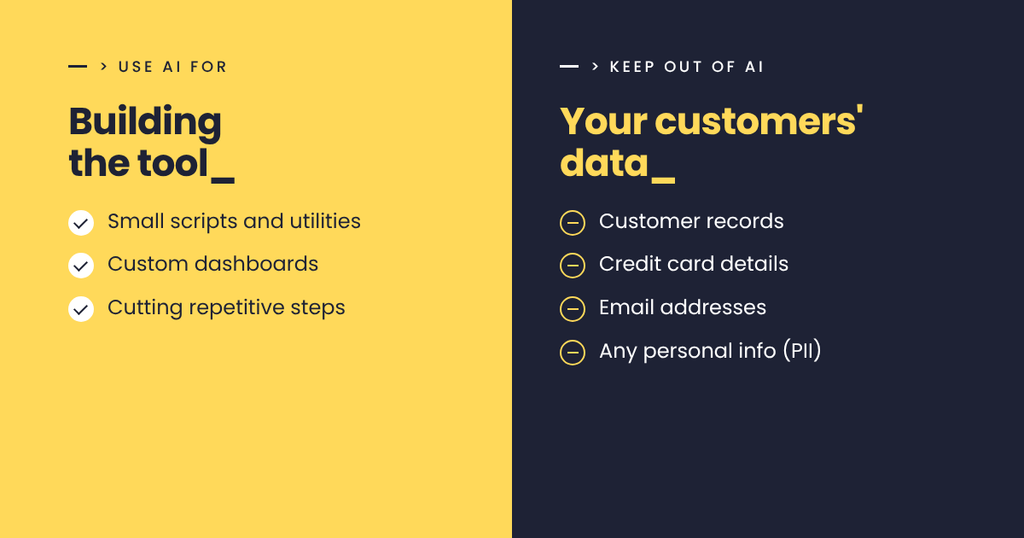
But be careful about what data you put through it. I strongly suggest not using AI to build tools that process:
- Customer data
- Credit card or payment details
- Email addresses
- Any other personally identifiable information (PII), meaning anything that could identify a real person
Use AI to help build safe tools. DO NOT attempt to use AI to build tools that need security and legal coverage; instead, purchase a plugin or hire a developer to do that.
A note on using AI
I’ve explored AI since its early days, and it’s genuinely useful. It has helped me cut a lot of friction out of my own workflows.
Still, I’d encourage you to use it with care. We shouldn’t outsource our creativity and critical thinking to an algorithm. Let AI handle the tedious parts, and keep your own creativity and judgment as the final word. You’ll get higher-quality results, and you’ll find a lot more satisfaction in the work.
Build it, buy it, or hire it out?
Not every tool is worth building yourself. Some are better bought off the shelf, and some, especially anything that touches customer data or payments, should be built by a professional.
I’m a software engineer by training, so I can help you think that through: where the friction is in your workflow, what’s safe and sensible to build yourself, and what you should buy or have built properly, with your data kept secure.
If you’d like help finding the friction and building tools to remove it, reach out to me or book a call. Let’s make your website stress free.